Planning with ADHD, or just a lot on your mind
Today is always in view, and unfinished things wait where you can see them. No streaks, and nothing that turns red.
Nothing to set up. Open today and start writing. Coming to Mac, Windows, iPad, iPhone and Android.
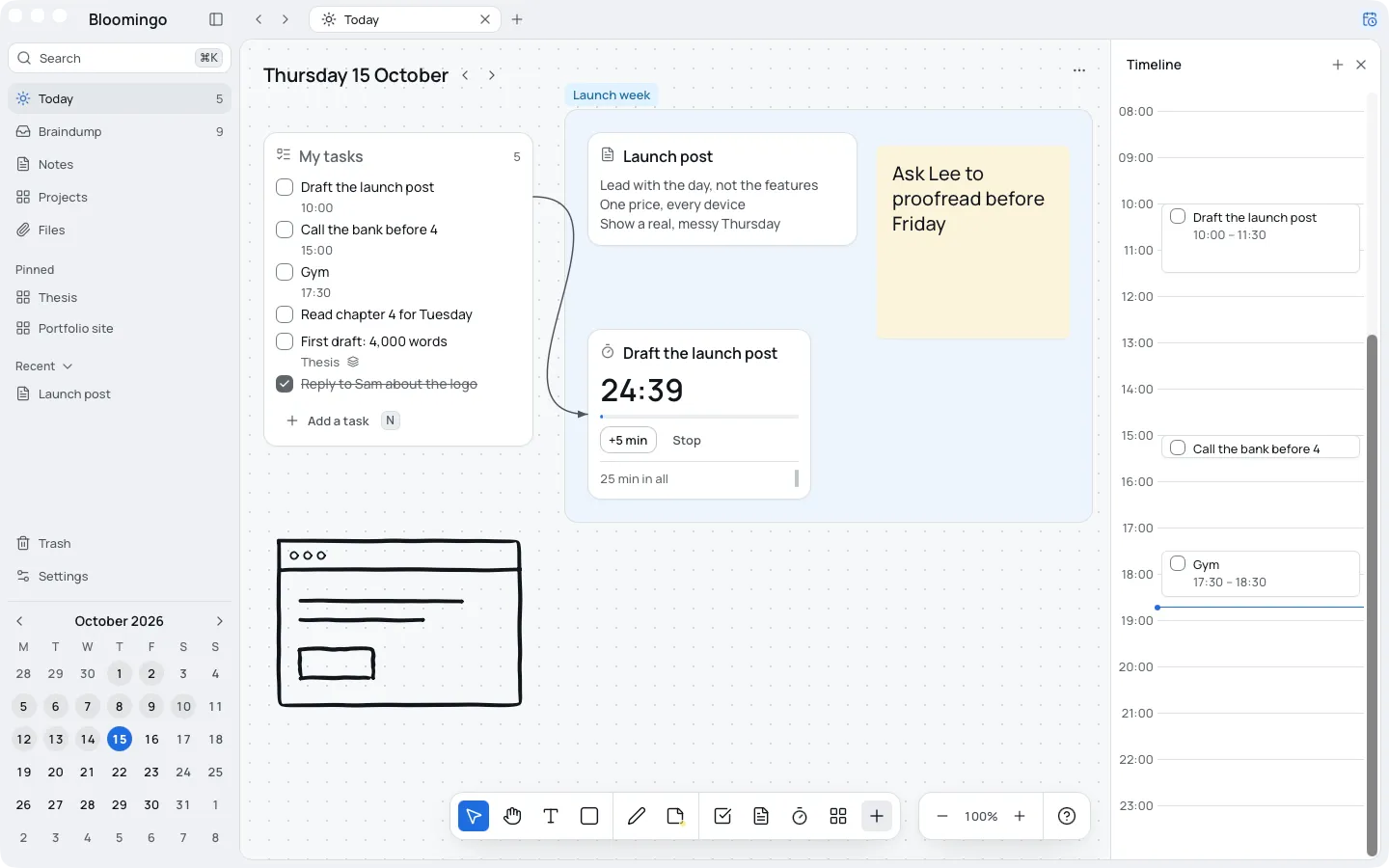
Start again on any day
Most planners expect every week to go to plan. When a week goes another way, they greet you with a pile. In Bloomingo, today's board is ready whenever you open it.
A new week, a new month or a Tuesday afternoon: any day is a fine day to start.
Today is always in view
The sidebar always shows today's date, one click away. On any other day, a Today button takes you back.
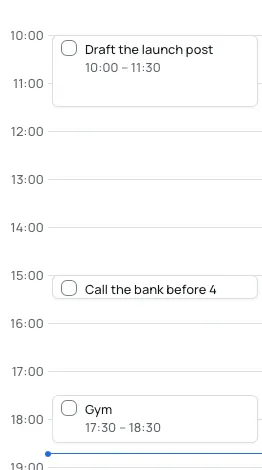
Give a task a time and it shows on the day's timeline. When you come back to Bloomingo, an open timeline moves to now and marks your next task.
An alert at a task's time comes only if you ask for one.
Unfinished things wait where you can see them
Each new day, yesterday's unfinished tasks wait in a small tray. Keep each one for today, put it in the braindump, pick a day for it, or let it go.
Letting go is an ordinary choice, and search still finds a task you let go. By default, anything still undecided when the day ends goes back to the braindump.
Not in Bloomingo
- Streaks that break
- A count of how often a task moved
- Red marks when a day doesn't go to plan
Everything else goes in the braindump
Get it out of your head first. The braindump is one board with no date. Put a thought there the moment it shows up, and sort it later, or never.
Thoughts you haven't opened for weeks fade, and Bloomingo never deletes them.
How the braindump works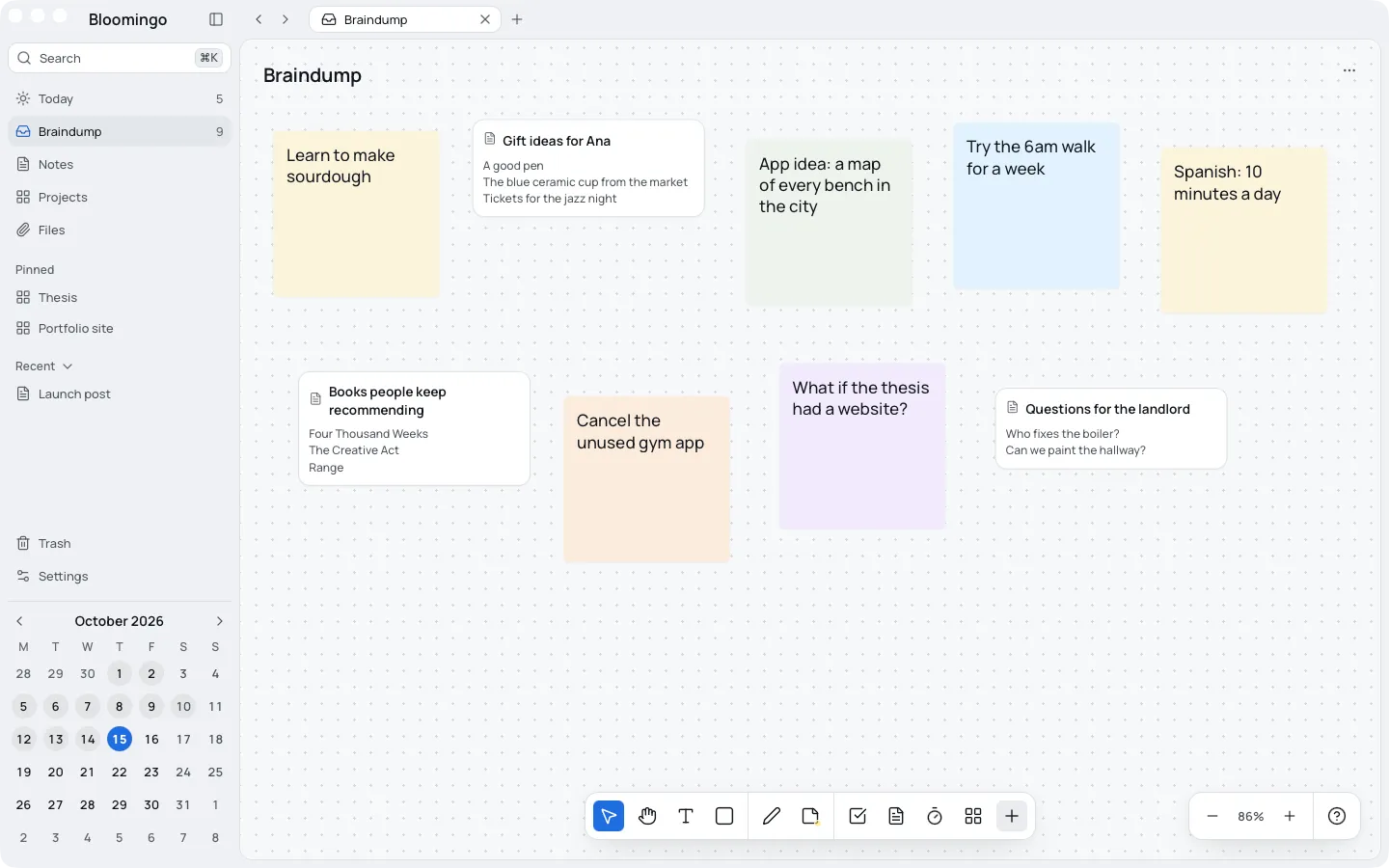
A clock beside the task
Put a clock on the board next to the work, and join it to the task with a line. It takes the task's name, so you can see what the time is for.
It counts down, counts up, or runs focus rounds that offer a break and never force one.
Tasks and timers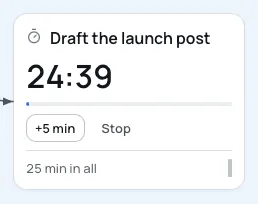
Coming back is ordinary
Bloomingo is built for the weeks that go another way, not only the ones that go to plan.
A planner, not a treatment
Bloomingo is a planner, not a treatment, and it makes no health claims. You don't need a diagnosis to use it. It's for anyone who has ADHD, or just has a lot on their mind.
What if I stop using it for a while?
Open it on any day, and today's board is ready. Past days stay as you left them, and nothing counts the days in between.
Will it send me lots of notifications?
No. A task alerts you only if you ask it to, and a timer chimes when it ends.
Will a whiteboard be too much to look at?
A new day opens with one task list and open space beside it. Add more only when you want to.