Braindump: one board for everything on your mind
Add a thought anywhere on the board, and give it a day when you're ready. Thoughts you haven't opened for weeks fade, and Bloomingo never deletes them.
Nothing to set up. Open today and start writing.
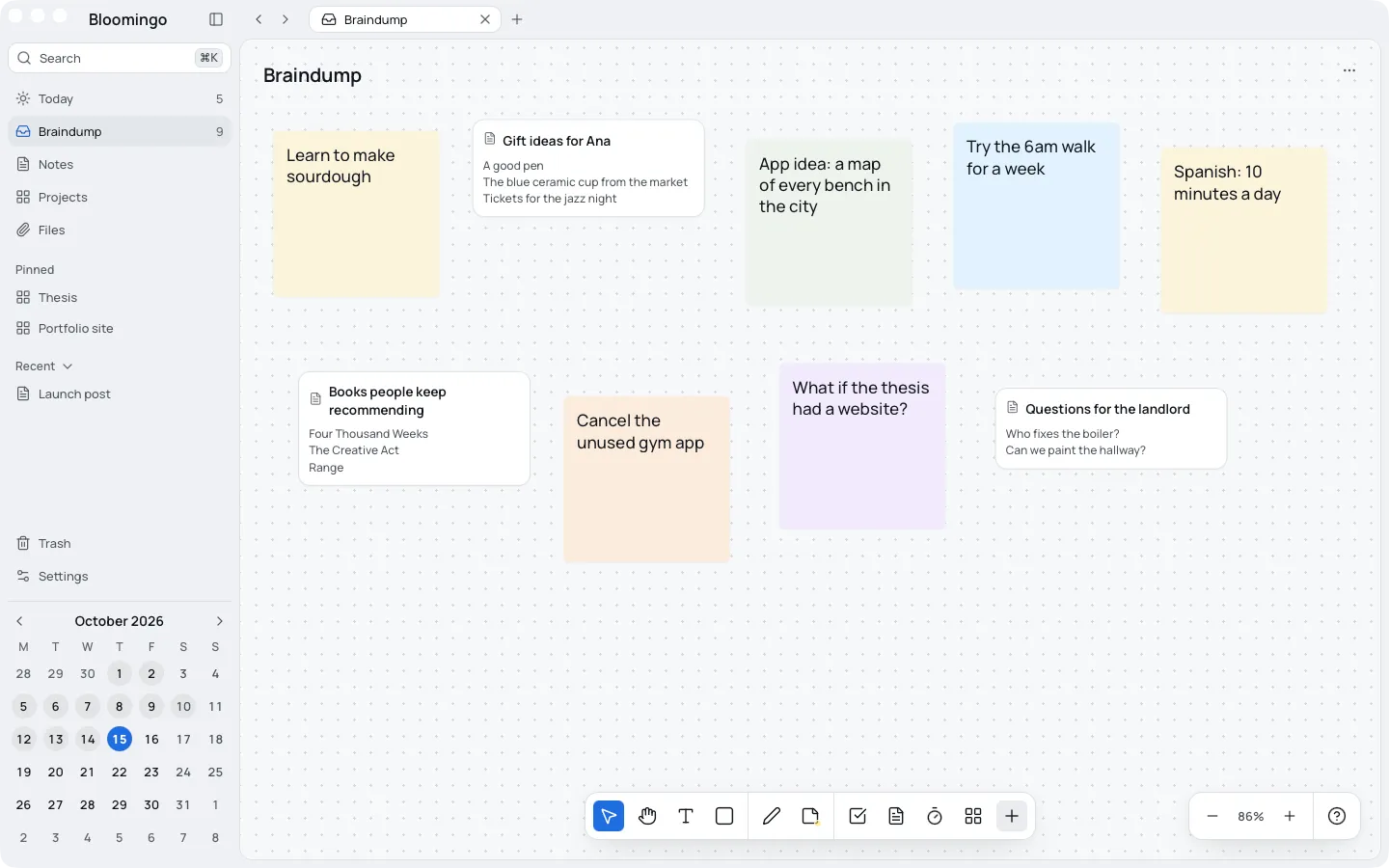
Get it out of your head first
The braindump is the one board with no date. Anything that has no day or place yet can go there: a note, a sticky note, a task or a picture.
Things you send there from elsewhere line up in a loose grid, four to a row, so the board stays easy to read.
- Open Braindump in the sidebar, or press G then B.
- Double-click anywhere and type the thought.
- Keep going until there's nothing left to write down.
- Leave the sorting for later, or skip it.
Give a thought a day when it's ready
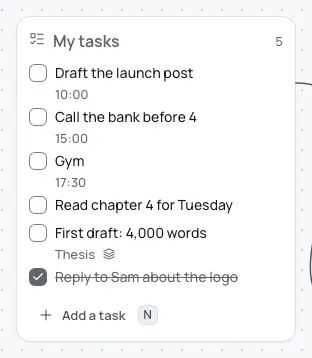
Select a thought and press ⇧⌘D to add it to today. A task goes into today's My tasks list.
For any other day or board, choose Also show on from its menu. It stays one thought in both places, so a change in one shows in the other.
Done with it on the braindump? Choose Remove from this board, and it stays on its day.
Old thoughts fade, and nothing is deleted
A thought nobody has opened for four weeks fades a little. Under it, a line says when it was last opened.
Open it and it comes back. Bloomingo never deletes a thought on its own. Only you can.
Yesterday's unfinished tasks can come here too. Braindump is one of the choices in the tray for leftovers, and anything still undecided when the day ends comes here by default.
No quick-capture window
Bloomingo has no separate window or widget for catching thoughts from other apps. To add one, open Bloomingo and press G then B.
It won't sort your thoughts for you either. You decide what each one becomes, and when.
More for busy heads
The braindump, step by step
The help page: adding thoughts, and giving one a day or a place.
Day boards
Every date opens its own board, with a list for the day's tasks and room around it.
Brain-fog days
On a slow day, one task on today's board is a plan. The rest can wait in the braindump.
ADHD, or just a lot on your mind
Today is always in view, and unfinished things wait where you can see them.
Empty your head. Sort it later.
Coming to Mac, Windows, iPad, iPhone and Android. Pay once. No subscription needed.