Bloomingo and Notion compared for planning your own days
We make Bloomingo. We checked Notion's public pricing and help pages on 15 October 2026, and we say where Notion is the better choice.
Notion is the better choice for a shared team wiki or a database of documents. Bloomingo is for planning your own days on a canvas, and it works offline.
Notion is the better choice for shared work and documents
A wiki your team shares
Pages can be shared with members and guests, and each team can have its own teamspace with its own permissions. Bloomingo has no team sharing.
Databases of documents
One database can be seen as a table, a board, a timeline, a calendar, a list, a gallery or a chart. Bloomingo has no list or database views.
It's here today, in a browser too
Notion has apps for Mac, Windows, iOS and Android, works in a web browser, and has a free plan for individuals. Bloomingo isn't out yet, and it has no web version.
Bloomingo is for planning your own days
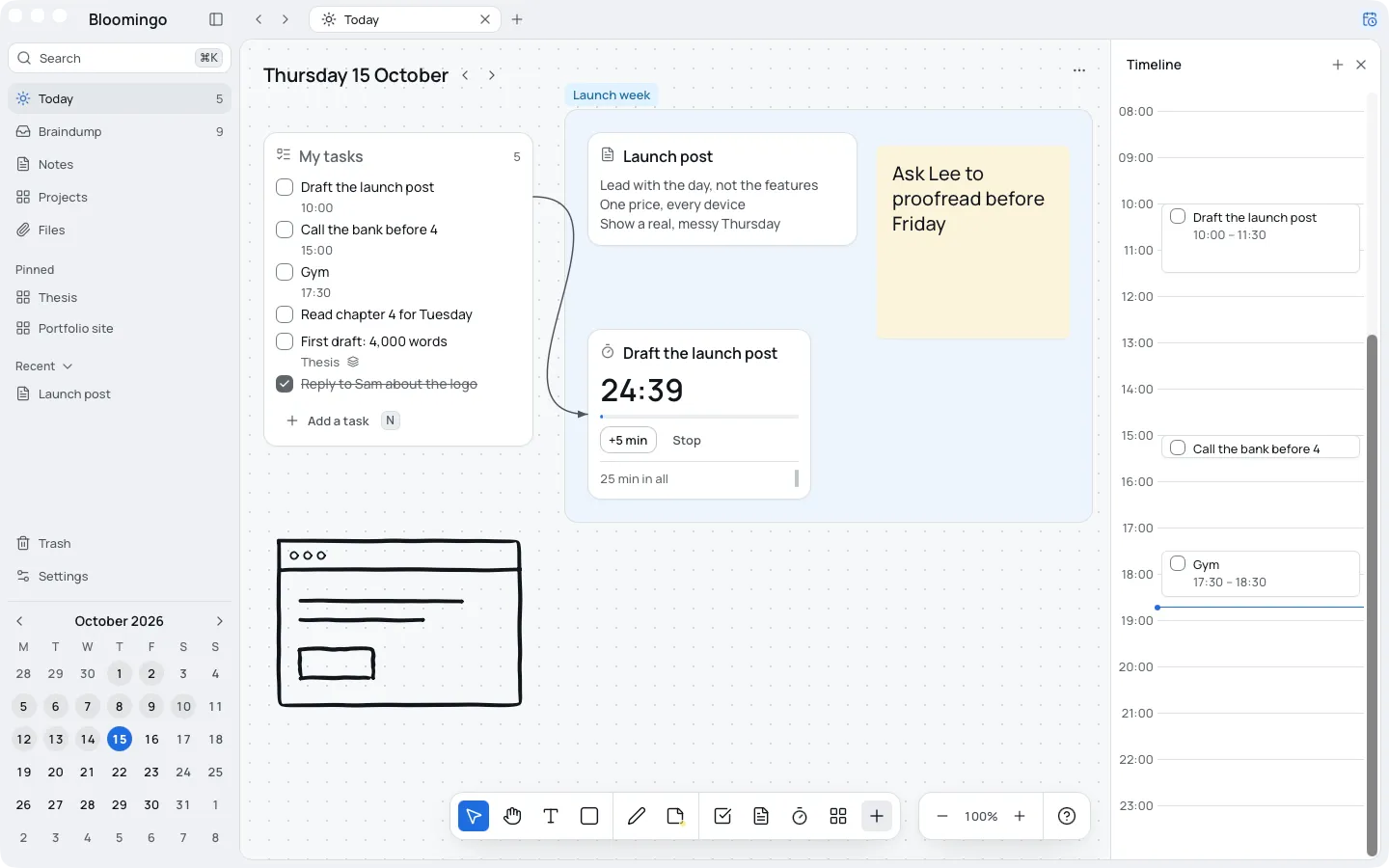
Every date opens its own board. Put tasks, notes, sticky notes, timers and sketches anywhere on it, with one undated braindump for everything else.
Nothing to set up
No database, properties or template to choose. Open today and start writing.
Works offline, on your device
Everything opens and saves on your device, and search runs there too. Sync between your devices will be end-to-end encrypted.
Pay once
No subscription needed. Free for 14 days, no card.
Yours to take
Export everything at any time: notes as Markdown, files as they are, boards as JSON.
Stay with what you have if one of these is you
You plan best in lists
Bloomingo has no list views, by design. A list app will suit you better.
You plan with a team
Bloomingo is for one person's days. Notion's shared pages and teamspaces are built for teams.
Your Notion setup works
If planning in Notion takes little upkeep and you're happy with it, keep it.
You need a planner this week
Bloomingo isn't out yet. Use what you have, and come back when it is.
Side by side, one fact per row
Notion's facts link to the page each one came from. Bloomingo's are true today.
| Fact | Notion | Bloomingo |
|---|---|---|
| Price model | A free plan for individuals. Paid plans are charged per member, monthly or yearly.Notion pricing | Pay once. No subscription needed. Free for 14 days, no card. |
| Devices | Apps for Mac, Windows, iOS and Android, and a web browser.Notion desktop appsNotion mobile appsNotion Help: use pages offline | Coming to Mac, Windows, iPad, iPhone and Android. Not available yet. |
| Works offline | In the desktop and mobile apps, not in a web browser. You mark the pages to keep offline on each device; on paid plans, recent and favourite pages download by themselves. Subpages, and database rows after the first 50, don’t download automatically.Notion Help: use pages offline | Yes. Everything opens and saves on your device, and search runs there too. |
| Where your data lives | On Notion’s cloud servers, with copies of offline pages on your device. Enterprise customers can choose the region their data is stored in.Notion securityNotion Help: use pages offline | On your device. |
| Encryption | Encrypted in transit (TLS 1.2 or higher) and at rest (AES-256). Notion’s security page doesn’t mention end-to-end encryption.Notion security | Sync between your devices will be end-to-end encrypted. Sync isn’t built yet. |
| A board for each day | No. A calendar view shows a database’s items on their dates; the database needs a date property first. Notion Calendar, a separate app, is for scheduling.Notion Help: calendarsNotion mobile apps | Yes. Every date opens its own board, ready when you open it. |
| List and database views | Yes. One database can be viewed as a table, board, timeline, calendar, list, gallery or chart.Notion Help: views, filters and sorts | No, on purpose. Bloomingo has no list views. If you plan best in lists, a list app will suit you better. |
| Team sharing | Yes. Share pages with members and guests, and give each team its own teamspace.Notion Help: sharing and permissions | No. Bloomingo is for planning your own days. |
Compared on 15 October 2026 using Notion's public pricing and help pages. We check again every 6 months.
Keep Notion for documents. Plan your days here.
Nothing has to move. Bloomingo doesn't import Notion pages, so your wiki, your notes and your team's pages stay where they are, and your days get a board of their own.
Why Notion stops working for planning your daysPlan the day you have.
Where these facts come from
Notion's own pages, each read on 15 October 2026: